StratBuild ProspectIQ™

SELF-SERVE PROSPECTING SOFTWARE

Find prospects.
Know why.
Make your move.

Choose your market. Inspect the evidence. Build a relevant reason to start a conversation—with your judgment in control.

For founders, consultants and small teams selling to businesses.

PROSPECTIQ / REVIEW THE OPPORTUNITY
Recorded prototype showing the evidence behind a local business prospect’s score
01—03

A business name is a starting point.
The evidence helps you decide what comes next.

YOU CHOOSE THE MARKETYOU CHECK THE EVIDENCEYOU APPROVE THE HANDOFF

THE REASON BEHIND THE RECORD

A list tells you who.
A useful workflow helps you decide.

You don’t need another spreadsheet to sort through without context. You need a practical way to connect a business problem you can solve with a company worth a closer look.

ProspectIQ brings discovery, supporting evidence and prioritization into a review workflow. You run the searches. You make the judgment. Outreach stays a separate decision.

FROM SEARCH TO A CONSIDERED NEXT STEP

Discover. Inspect. Decide.

Explore the workflow shown in the recorded local-business prototype.

WATCH THE WALKTHROUGH

See the decisions.
Then see the demo.

Jeremie walks through the setup, the AI build and a recorded test in just over three minutes.

The local-business walkthrough is a prototype demonstration using sample companies and simulated provider activity. Confirm current capabilities and included usage before activating a paid account.

Read the video transcript
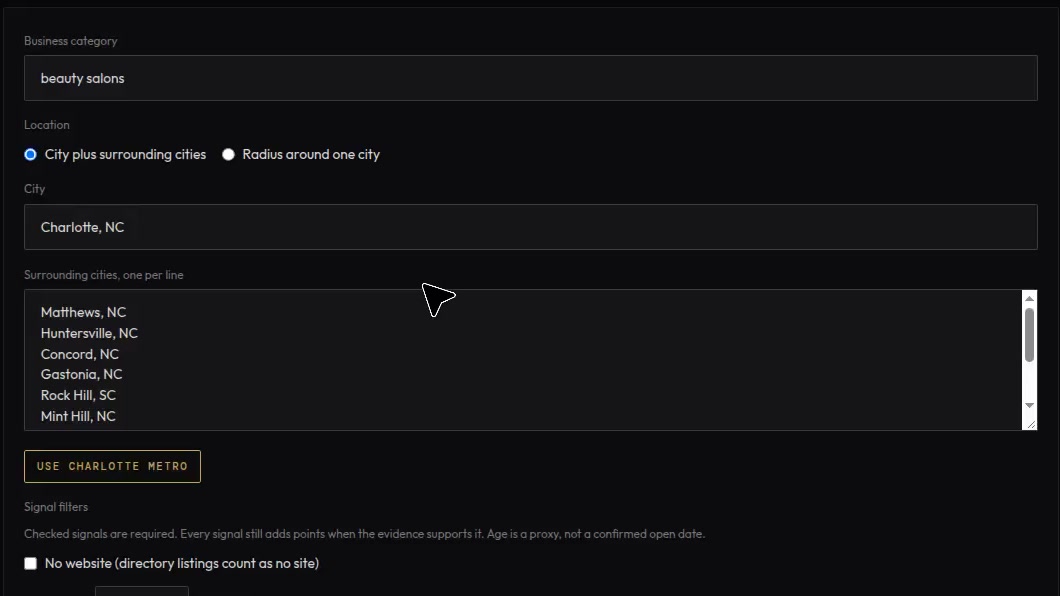
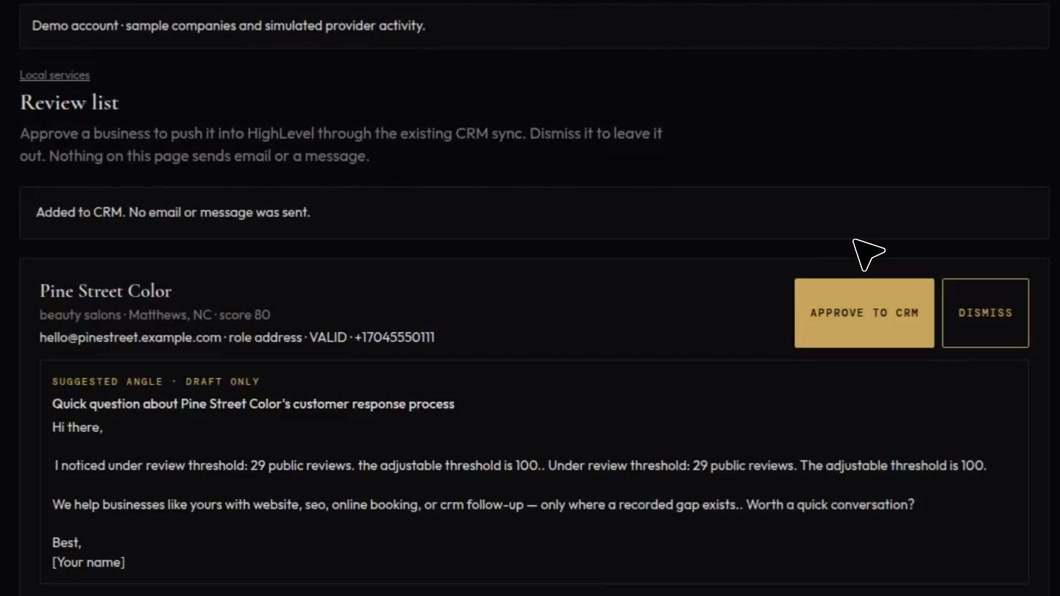
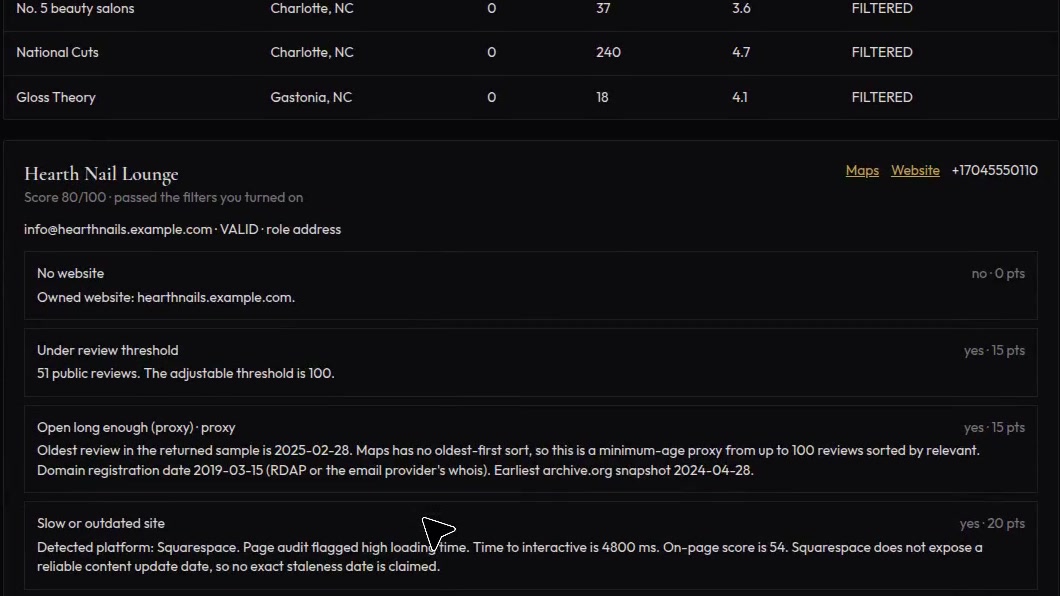
A useful prospect list helps you decide which businesses deserve a closer look, why they're relevant, and what to do next. That's what I'm building in ProspectIQ, with Treg as the planned data source. Let me show you the setup, the AI build, and the recorded test. Before the build starts, I ask the agent to clarify anything it would otherwise have to guess. Here, I can type a business category freely, and I'm adding the search to the existing app. Those decisions give the work a clear starting point. Next, I choose the signals: a missing website, fewer than a hundred reviews, a business that appears to have been open for at least a year, a slow site, no online booking, or a low rating. These connect to work I can help with. Each signal gives me a reason to investigate before deciding what to offer. I also decide where a useful prospect should go. In this build, that's HighLevel through StratBuild CRM, with review built into the handoff. For this test, I set a fifty-dollar monthly spending cap. Choosing that limit is part of the setup, alongside the filters and approval rules. And I want to review suggested outreach before it's used. The system can prepare a draft; I decide whether it's relevant, whether it sounds right, and whether to use it. Now we're in Cursor. The brief brings the decisions together: extend the app, add local search, show the evidence behind each score, and support the CRM review step. I've also set boundaries for the build: leave production data alone, don't send messages, and test with sample data. When the earlier run stopped, I used the written brief to resume the work. The checklist makes progress easier to review: data providers, search, scoring, the review screen, and tests. I still need to check the code and test the behavior before using this live. Let's look at the recorded demo. It uses sample companies and simulated provider activity. Watch how the search, evidence, and review steps fit together. I start with beauty salons around Charlotte and choose the filters for that search. The results include a score from zero to a hundred. The useful part is the evidence showing which signals contributed to it. On the prospect card, I can inspect details such as review count and website performance. Business age is labeled as a proxy, so I treat it as a clue to check. The score helps me prioritize; I still make the judgment. Here's the suggested outreach angle. I would check this draft for accuracy, tone, and repetition before using it. After reviewing the record, I can approve the CRM handoff. Notice the confirmation: added to the CRM, and no email or message was sent. Finding a prospect and sending outreach remain separate decisions. Start with one business category, one location, and a few signals tied to a problem you can help solve. Decide where review belongs before automating the next step. The free Growth Recovery Audit is linked below, along with HighLevel and StratBuild resources. The HighLevel link is an affiliate link, so I may earn a commission if you sign up through it. Subscribe for more practical walkthroughs, and go out and build.
ONE FOCUSED PLACE TO START

Your prospecting.
Your pace. Your call.

Self-serve software access for a business owner or seller who wants to run their own searches and review the opportunities themselves.

  • 01 A market and offer you can clearly define
  • 02 Evidence you can inspect before acting
  • 03 A deliberate review step before CRM handoff

Looking for someone to build lists or run outreach for you? Managed prospecting and custom implementation would be scoped separately.

LAUNCH PLAN

SELF-SERVE

ProspectIQ Access

$149/month

A focused workflow from discovery to a reviewed next step.

  • Software access for your own prospecting
  • Up to 10 discovery searches per month
  • Up to 25 contact-enrichment requests per month
  • Evidence and prioritization in one place
  • Suggested conversation angles for review
  • Approved CRM handoff where connected
Clear limits. No automatic overages.

Includes a $25 monthly data-and-AI research allowance. Research stops when any applicable limit is reached. Each category/location lookup counts as one search. Allowances reset on the first of each month at 00:00 UTC. Results and contact matches are not guaranteed.

Get ProspectIQ

$149/month, billed automatically until cancelled. No setup fee. For cancellation, email jeremie@stratbuild.ai. CRM subscriptions and managed services are separate.

BEFORE YOU GET STARTED

A few useful answers.

Is this software or a done-for-you lead service?

The launch plan is self-serve software access. You run the searches, inspect the prospects and decide which records to approve. It does not include someone building your lists or managing campaigns.

Does ProspectIQ contact prospects for me?

Outreach is a separate decision. ProspectIQ supports research, review and approved CRM handoff. Connected CRM workflows should be reviewed before enabling a live handoff, because they may react to new records.

Does a high score mean a company will buy?

No. A score helps prioritize a closer look using the evidence available. It is not proof of buying intent, confirmed need or future revenue.

Is a CRM subscription included?

The standalone software price does not include a CRM subscription or a Growth OS membership. We’ll confirm the supported connection and access terms before you activate.

Can I start with a specific niche or city?

That is the local-search workflow shown in the recorded prototype. Discuss the market you want to reach so we can confirm current source coverage, supported filters and included usage for your account.

How do I activate ProspectIQ?

Complete secure checkout, then create your ProspectIQ account with the same email and verify it. Membership activation checks your settled eligible purchase. Account creation alone does not activate research.

BUILD A MORE DELIBERATE PIPELINE

Start with the businesses
you can actually help.

Start with the $149/month self-serve plan. After checkout, use the same email to create your account, verify it and activate your membership.

Start ProspectIQ

Secure checkout · $149/month until cancelled · No automatic usage overages. Questions? Email jeremie@stratbuild.ai.